
To easily create your signature, I created a script that will do most of it for you.
Brows to the file share at: \\dfs\share\DSS Public\IT\Outlook Signatures and execute the script for your store location.
After following the instructions in the script, open Outlook and go to File > Options.
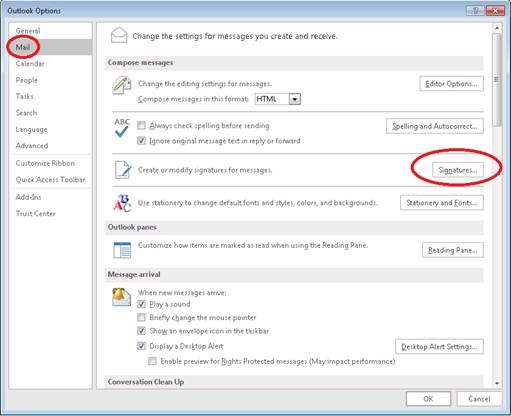
In the options screen click on Mail on the left, then signatures on the right.
On this screen on the right side, change both drop down menus to the one that matches your username and then click ok twice.
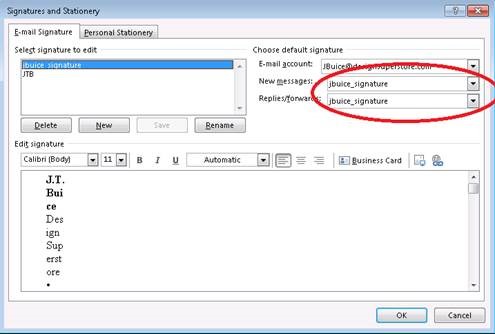
To test, start a new email and your new signature should be at the bottom.
If you made a mistake, run the script again.
Comments
0 comments
Article is closed for comments.